How It Works

Getting Credit Should
Be This Clear.

No paperwork mazes. No hidden steps. Here is the whole journey from signing up to spending, exactly as it happens in the app.

1Step 1 of 4

Verify and Get Assessed.

Sign up with your phone and email, then confirm your identity with your BVN and a quick liveness check. We retrieve your verified name straight from NIBSS, so there is nothing to mistype, then review your profile and income to work out a credit limit that suits you.

verified_userName retrieved from NIBSS, locked and correct photo_camera_frontLiveness check with clear, on-screen guidance
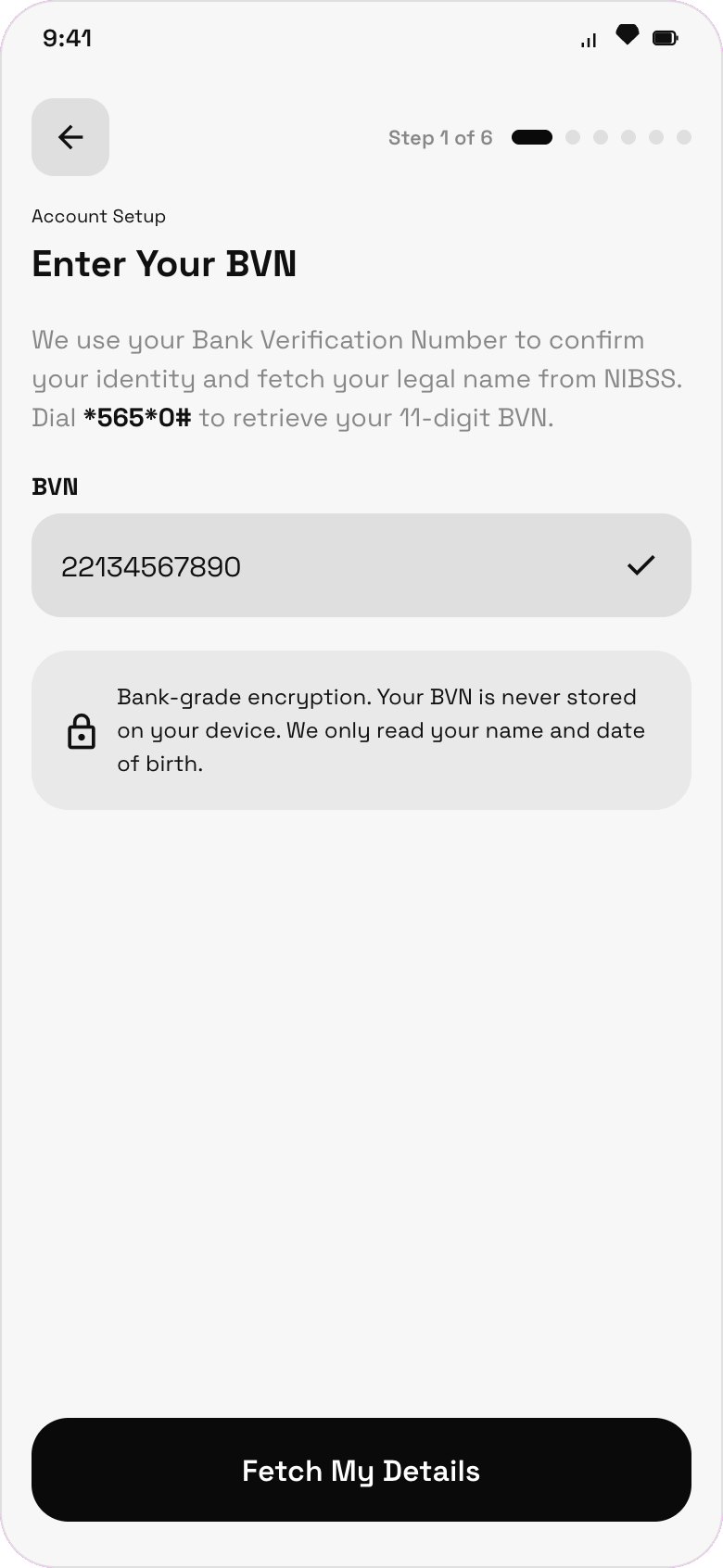
BVN verification screen
2Step 2 of 4

See Your Decision, Honestly.

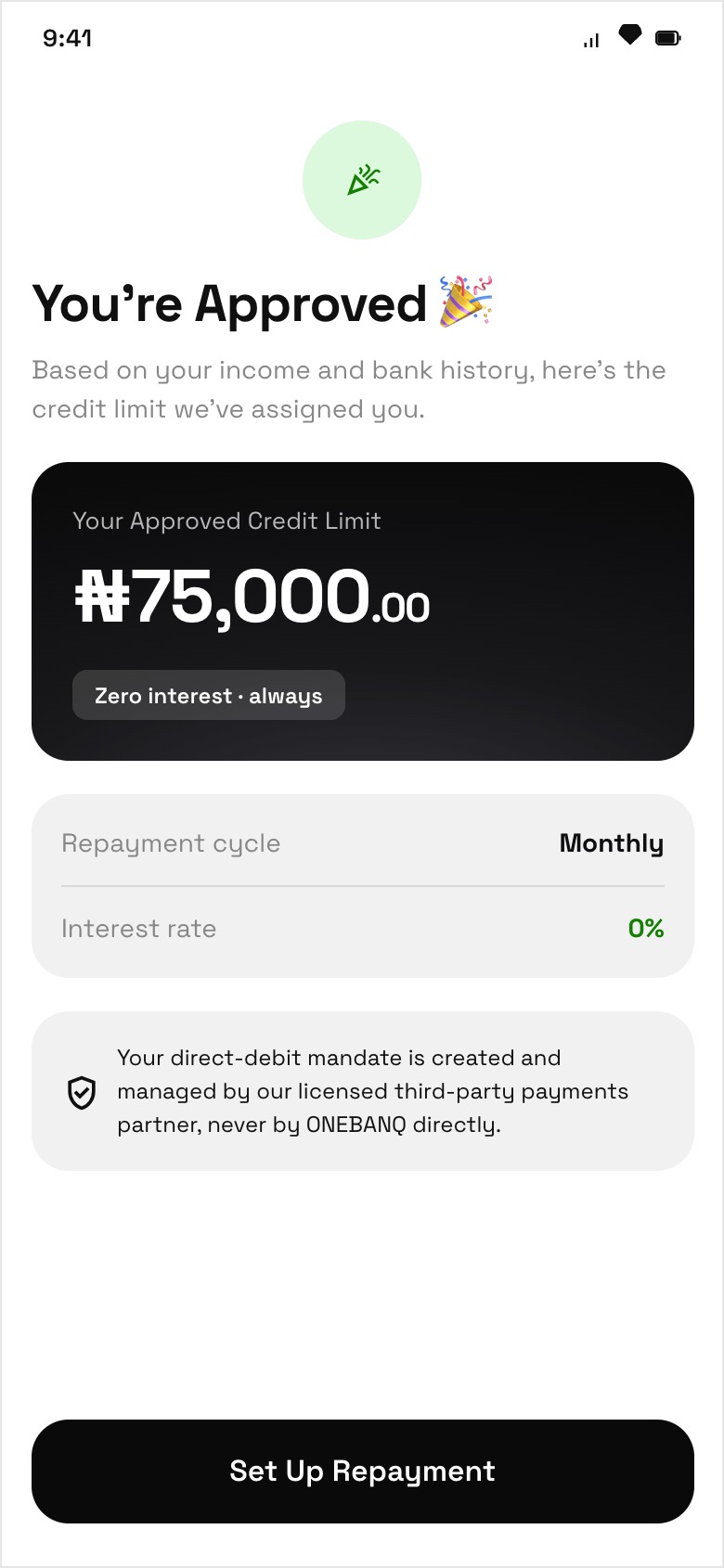
If you are approved, your credit limit is the first thing you see, large and clear. If we cannot approve you yet, we tell you why in plain words and show you a path forward. We never leave you guessing.

check_circleApproved: your limit shown upfront infoNot yet: a clear reason and what to do next
Credit approved screen
3Step 3 of 4

Get Your Card and Start Spending.

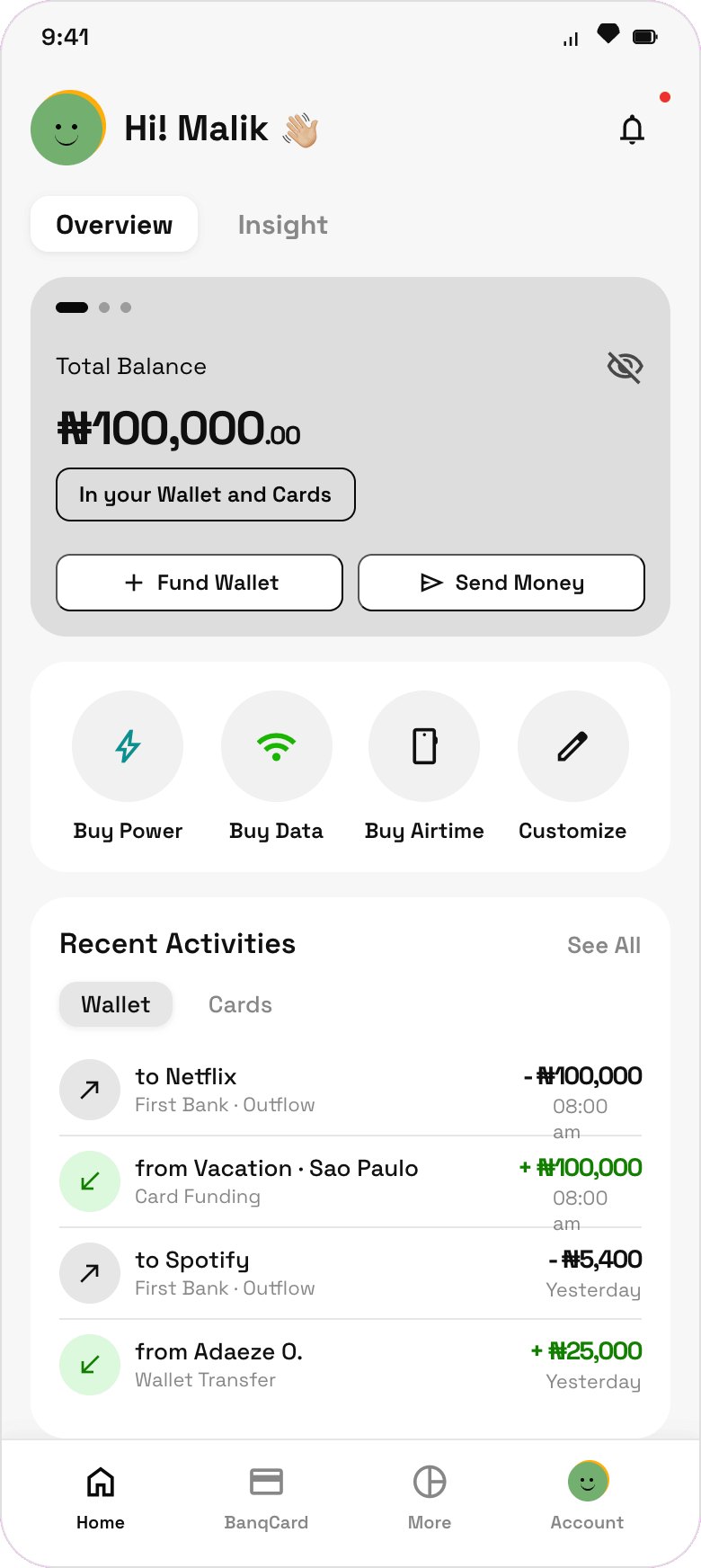
Request your physical Verve card and see every fee before you accept. Track it all the way to your door, activate it with a quick check, and set your card PIN. Then spend on credit, buy airtime, data and power, and send money to other ONEBANQ users.

receipt_longEvery fee shown before you accept local_shippingCard tracked from request to your door
Home and spending screen
4Step 4 of 4

Repay with Zero Interest.

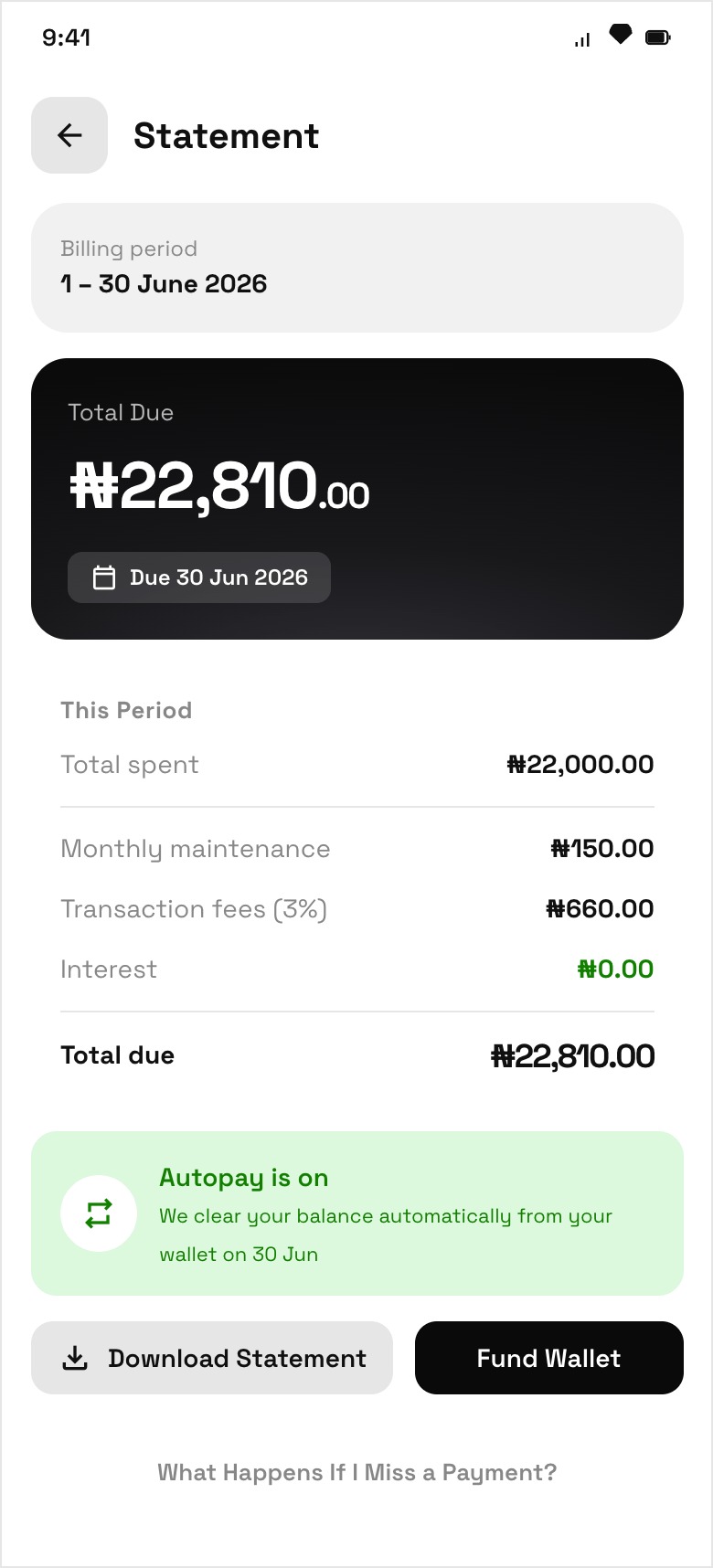
Each month you get one statement with your spending, fees, total due and a fixed due date, all in one place. Repay manually or let autopay handle it. However much credit you use, the interest is always zero.

See Exactly What You Pay
Statement and repayment screen

Ready When You Are.

Join the early access list and we will let you know the moment you can apply.

Get Early Access